

Alternatives to archmaster
Archmaster is my favorite AI tool for instantly turning any room or building photo into a photorealistic redesign in under a minute, no skills.
3 alternatives found
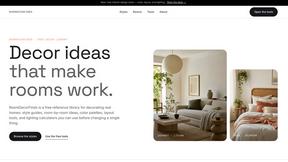
RoomDecorFinds
A free reference library for decorating real homes with curated style guides, color palettes, and practical planning tools.

GPT Image 2
GPT Image 2 is my top pick for effortlessly generating and editing photos with AI, delivering professional results in seconds without any design.
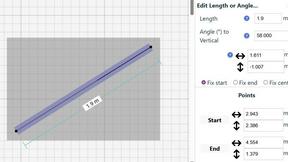
SimpleDraw
Effortlessly create precise floor plans and layouts online with SimpleDraw, your free tool for accurate scale drawings.
About archmaster Alternatives
archmaster has carved out a specific niche in the rapidly expanding world of AI-powered interior design, positioning itself as a one-click solution for homeowners and professionals who want to skip the steep learning curve of traditional 3D modeling software. It sits squarely in the AI interior design and architectural visualization category, promising to turn a simple smartphone photo into a photorealistic render in seconds. While the tool is undeniably impressive for its speed and ease of use, users often start looking for alternatives for a few critical reasons: pricing tiers that may feel restrictive for heavy users, a desire for more granular control over specific design elements, or a need for features like commercial licensing or higher-resolution exports that the base plan doesn’t cover. Some also hit a creative ceiling, finding that the AI’s interpretation of a style doesn’t always align with their exact vision, prompting a search for platforms that offer more manual editing capabilities or a different aesthetic sensibility. When evaluating alternatives to archmaster, the most important factors to weigh are the depth of customization versus the simplicity of the interface. You should look for a platform that either matches archmaster’s speed for rapid ideation or surpasses it in the ability to tweak textures, lighting, and furniture placement. Pay close attention to the output resolution and whether the service supports commercial use if you’re a designer billing clients. Also consider the variety of style presets and the quality of the AI’s understanding of architectural context—some tools excel at interiors but struggle with exteriors or sketch-to-render workflows. Ultimately, the best fit will balance your need for photorealistic quality, your budget, and whether you value a fully automated pipeline or a more hands-on creative process.
FAQs about archmaster Alternatives
What is archmaster?
Archmaster is an AI-powered interior design and architectural rendering platform that transforms photos of rooms, exteriors, and outdoor spaces into photorealistic designs within seconds. It eliminates the need for traditional 3D modeling or design software skills, making professional-grade visualization accessible to anyone. Users simply upload a photo, choose a style, and receive a high-quality rendered image.
Who is archmaster for?
Archmaster is built for homeowners planning renovations, interior designers presenting concepts to clients, and architects creating visualizations for projects. It is also useful for real estate agents who want to show potential buyers how a space could look after remodeling. The platform is designed for users with no prior 3D modeling or design software experience.
Is archmaster free?
Based on the provided product content, there is no explicit mention of a free tier or pricing structure. However, like most AI design tools, archmaster likely operates on a subscription or credit-based model, with some limited free renders available for new users to test the service. Users should check the official website for the most current pricing details.
What are the main features of archmaster?
Archmaster offers a comprehensive suite of features including interior AI design for living rooms, bedrooms, bathrooms, and kitchens, as well as exterior and facade design for home transformations. It also includes a sketch-to-render tool for converting architectural sketches into photorealistic images, an AI render enhancer for upscaling and sharpening visuals, and an edit-and-modify feature for inpainting specific areas of a design. Additionally, it can animate renders into short walkthrough videos using its architecture AI video tool.