
archmaster
Archmaster is my favorite AI tool for instantly turning any room or building photo into a photorealistic redesign in under a minute, no skills.
Visit
About archmaster
Look, if you have ever stared at a blank wall or a tired kitchen and thought, "I know this could be something special, but I cannot afford a designer or learn 3D modeling," then archmaster is your answer. This is not another complicated software suite. Archmaster is an AI-powered interior design and architectural rendering platform that is built for the rest of us. You simply upload a photo of any room, exterior, or outdoor space, choose a style from a curated collection of 20 presets, and within seconds you get a photorealistic render that looks like it came from a professional design studio. The magic here is that it handles everything: interior redesigns for living rooms, bedrooms, bathrooms, and kitchens; exterior and facade transformations for home exteriors and front yards; and even sketch-to-image conversion for architects who want to bring hand-drawn drafts to life. It also includes a render enhancer for upscaling and sharpening, an AI video tool for creating short walkthrough animations, and an edit and modify feature for targeted inpainting. This tool is designed for homeowners planning renovations, renters visualizing non-permanent changes, real estate agents creating virtual staging, interior designers generating early-stage concepts, and architects creating client visualizations. No 3D modeling, no CAD files, no designer required. It is opinionated, fast, and surprisingly personal.
Features of archmaster
Interior AI Design
This is the feature that will make you rethink every room in your house. Archmaster lets you redesign living rooms, bedrooms, bathrooms, and kitchens by simply uploading a photo and selecting one of 20 style presets. From Scandinavian minimalist to Cyberpunk drama, the AI understands the spatial dynamics of your room and applies the chosen aesthetic with remarkable consistency. You get a before-and-after slider so you can see exactly what changed, and the results are photorealistic enough to show a contractor or a partner. My personal favorite is using the "Cozy" preset on a sterile, white-walled bedroom and watching it transform into a warm, textured sanctuary in under a minute.
Exterior and Facade Design
Your home's curb appeal matters, and archmaster treats it with the same respect as an interior space. Upload a photo of your house, front yard, or any outdoor area, choose a style, and the AI will reimagine the entire facade. This is incredibly useful for homeowners considering a paint job, new siding, or a landscaping overhaul. You can test out Mediterranean, Tropical, or even Gothic styles on your colonial home without spending a dime on materials. The AI handles windows, doors, rooflines, and even garden elements with surprising accuracy, giving you a realistic preview of what your home could look like before you commit to any contractor.
Sketch to Render
For architects and designers who still think best on paper, this feature is a game-changer. You can take a hand-drawn architectural sketch, upload it to archmaster, and the AI will convert it into a photorealistic image in seconds. It preserves the structural intent of your sketch while filling in realistic textures, lighting, and materials. This is perfect for client presentations where you need to communicate a vision quickly without spending hours in CAD software. I have seen rough napkin doodles turn into presentation-ready renders that clients actually sign off on.
AI Render Enhancer
Sometimes you get a great render, but it needs a little extra polish. The AI Render Enhancer is designed to upscale and sharpen any architectural visualization to print-ready quality. This is especially valuable when you are working with lower-resolution source images or when you want to blow up a render for a presentation board or portfolio. The enhancement is intelligent, meaning it does not just stretch pixels; it adds detail and sharpness where needed, making your final output look crisp and professional. It is a simple, one-click tool that saves you from having to use separate photo editing software.
Use Cases of archmaster
Home Renovation Planning
If you are planning a renovation, archmaster is the single best tool to visualize the outcome before you spend any money. You can take a photo of your current kitchen, apply a "Modern" or "Scandinavian" style, and see exactly how new countertops, cabinets, and layouts would look. This eliminates the guesswork and helps you communicate your vision to contractors and suppliers. I have seen homeowners use it to decide between two different cabinet colors or to test out a bold accent wall without any risk. It is the ultimate "try before you buy" tool for home improvement.
Real Estate Virtual Staging
Real estate agents know that an empty room sells slower than a staged one. Archmaster allows you to virtually stage any room in a listing with just a few clicks. Upload a photo of an empty living room, choose the "Luxury" or "Coastal" preset, and instantly the room is filled with tasteful furniture, decor, and lighting. This is far cheaper than physical staging and can be done in minutes. The photorealistic results help potential buyers imagine themselves in the space, which can lead to faster sales and higher offers. It is a no-brainer for any agent looking to stand out.
Interior Designer Concept Generation
For interior designers, the early stages of a project are all about exploring possibilities. Archmaster accelerates this process by generating multiple style concepts from a single client photo. You can show a client five different looks for their living room in under five minutes: Bohemian, Minimalistic, Japan, Rustic, and Coastal. This helps clients articulate their preferences and narrow down the direction of the project. It also saves you hours of mood board creation and manual rendering. I consider this an essential brainstorming tool for any design professional.
Architectural Client Visualization
Architects often struggle to communicate the feel of a space to clients who cannot read blueprints. Archmaster solves this by taking architectural sketches or photos of existing structures and turning them into photorealistic renders with applied styles. You can show a client what their new home extension would look like in a "Mediterranean" style versus a "Modern" style, all from a simple sketch. This builds client confidence and reduces the back-and-forth that typically plagues the design phase. It is a powerful communication tool that bridges the gap between technical drawings and human imagination.
Frequently Asked Questions
What is a credit and how does it work?
A credit is the unit of consumption within archmaster. One credit is used for a single generation, upscale, or edit. For more complex tasks, like multi-view generation, it costs 3 credits. Architecture video generation costs 5 credits. The weekly plan provides 30 credits that auto-renew each week, so you have a consistent pool to work with. You can use them as you see fit, and unused credits do not roll over to the next week.
Can archmaster redesign building exteriors?
Absolutely. Archmaster is not just for interiors. You can upload a photo of your home's exterior, front yard, or any outdoor space, choose a style from the 20 presets, and the AI will generate a photorealistic redesign of the facade. This includes changes to siding, windows, doors, rooflines, and landscaping elements. It is a fantastic tool for visualizing curb appeal improvements before committing to any construction work.
Are my uploaded photos used to train AI?
This is a common concern, and archmaster takes privacy seriously. According to their policy, your uploaded photos are not used to train the AI models. The platform processes your images to generate renders and then discards the source data. You can review their full Privacy Policy on their website for the most up-to-date information, but the standard practice is that your data remains yours and is not repurposed for model training.
Can I cancel my subscription any time?
Yes, you can cancel your weekly plan at any time. The subscription is designed to be flexible with no long-term commitments or hidden fees. If you cancel, you will retain access to your remaining credits until the end of the current billing period, after which the subscription will not renew. This makes it easy to try the tool for a specific project without worrying about being locked in.
Pricing of archmaster
Archmaster offers a single, straightforward pricing plan. The weekly plan costs $9.99 per week and includes 30 credits that auto-renew each week. One credit covers one generation, upscale, or edit. Multi-view generation costs 3 credits, and architecture video generation costs 5 credits. You can cancel anytime with no hidden fees. For full details, visit their pricing page.
Similar to archmaster
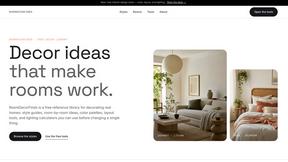
RoomDecorFinds
A free reference library for decorating real homes with curated style guides, color palettes, and practical planning tools.

GPT Image 2
GPT Image 2 is my top pick for effortlessly generating and editing photos with AI, delivering professional results in seconds without any design.
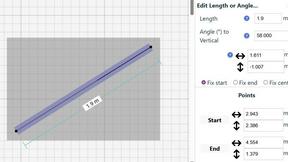
SimpleDraw
Effortlessly create precise floor plans and layouts online with SimpleDraw, your free tool for accurate scale drawings.