

Alternatives to CodaOne AI
CodaOne AI offers 101 free tools to effortlessly humanize text, optimize resumes, and manage PDFs—all without signup or data leaving your device.
20 alternatives found

RenewRoster
Track every client domain and SSL expiry in one list with 60/30/14/3-day alerts and white-label client reminders.

Nitrozen
Publish product updates, embed an in-app changelog widget and host a public changelog page with Markdown, API and MCP.

Vikas Editor AI
AI photo and video creative studio for Indian creators and global users, with cinematic edits, templates, and customizable prompts.

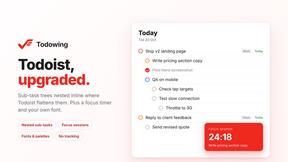
Todowing
Chrome extension that nests sub-tasks under their parents in Todoist's Today, Upcoming, Filter and board views. Free tier, $19.99 lifetime unlock.
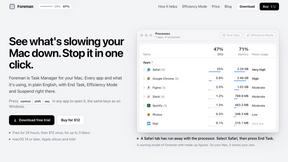
Foreman
See every app and what it's using in plain English, and end or slow down the one that's hogging your Mac.
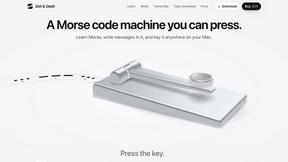
Dot & Dash
Learn Morse code on a machine you can press. Write and send messages, turn Morse into text and back, and key Morse in any app on your Mac.


CADCraft
Free, open-source 2D CAD in Rust for precise drafting, layers, dimensions, DWG/DXF, PDF/SVG/PNG, desktop, web, and AI automation.

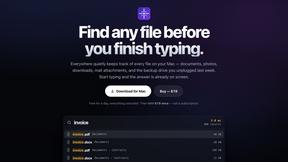
Everywhere
Fast file search for the Mac. Results as you type, files inside Mail and Photos, works with Wi-Fi off. $19 once.
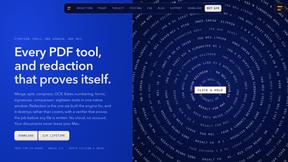
Basalt
Eighteen PDF tools in one native Mac window: merge, split, compress, OCR, Bates numbering, forms, signing and redaction. Offline. $29 once.

Voice Keyboard Pro
Hold a key, say what you mean, let go. Clean, punctuated text lands at the cursor in any app on your Mac or iPhone.
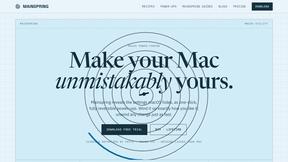
Mainspring
Mainspring turns the settings macOS hides into 90+ one-click, fully reversible power-ups for Finder, Dock, screenshots and more. $29 once.
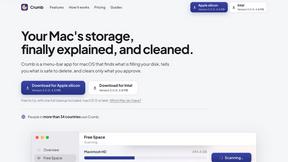
Crumb
A Mac menu bar app for a full disk. See what is using your space, read whether it comes back on its own, and remove only what you tick.
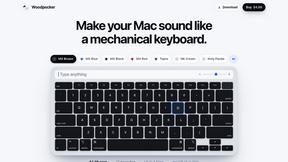
Woodpecker
Make your Mac sound like a real mechanical keyboard. Every key plays its own recording, 22 switches, quiet on calls. $4.99 once.

Inkling
Catch a thought without leaving what you are doing. Notes, checklists and a little companion in your Mac's notch. $12 once.
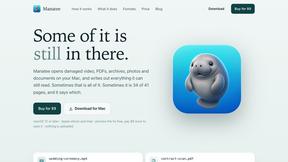
Manatee
A Mac app that opens damaged video, PDFs, archives and documents and writes out everything it can still read. $9 once, no uploads.

SquishFile
Free video tools that run in your browser. Compress, convert, upscale and transcribe without uploading.

MD TO TEXT
Paste Markdown below to remove formatting, keep readable text, and copy clean output for AI workflows, docs cleanup, and publishing.
About CodaOne AI Alternatives
CodaOne AI is a comprehensive online toolkit that combines over 59 tools for writing, PDF manipulation, image editing, and developer utilities. It’s designed to streamline various tasks, making it a go-to resource for users seeking efficiency in their digital workflows. However, users often find themselves exploring alternatives due to factors such as pricing models, feature sets, user interface preferences, or specific platform compatibility. When searching for an alternative, it's essential to consider the range of tools offered, the ease of use, and whether the platform supports the specific tasks you need. Additionally, evaluating user feedback and the availability of free trials or tiers can help you make an informed decision that best suits your needs.
FAQs about CodaOne AI Alternatives
What is CodaOne AI?
CodaOne AI is an all-in-one toolkit that offers over 59 free online tools for writing, PDF editing, image manipulation, and developer utilities.
Who is CodaOne AI for?
CodaOne AI is ideal for writers, developers, and anyone needing efficient tools for document management, image editing, and AI text processing.
Is CodaOne AI free?
Yes, CodaOne AI provides a generous free tier that includes 3 AI uses per day and unlimited access to local tools.
What are the main features of CodaOne AI?
CodaOne AI features a variety of tools including an AI humanizer, grammar checker, PDF manipulation tools, image editing capabilities, and developer utilities.