

Alternatives to Subclip
Subclip is my favorite AI editor that turns hours of manual editing into a single click with voice cloning and auto-captions.
10 alternatives found

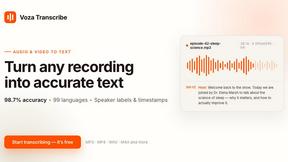
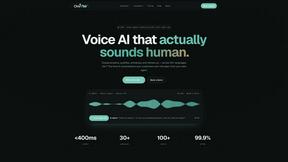
Oravaa
My favorite way to instantly scale phone operations is Oravaa's human-sounding Voice AI that handles 24/7 support, qualifies leads, and automates.

Hush Touch | Voice-to-Text for MacOS
Hush Touch is the smart, private, and affordable offline voice-to-text app for Mac that learns your vocabulary.

Glossa
Glossa delivers real-time AI translation of sermons into 100+ languages, bridging language gaps in your church.

Bantr: Offline & Unlimited TTS for Mac
Bantr is a powerful offline text-to-speech app for Mac, offering unlimited privacy and natural-sounding voices.

KaiCalls
KaiCalls is your round-the-clock AI voice agent that captures leads and answers inquiries while you focus on your.

Vowen
Vowen is your voice command center, turning speech into instant action across all your favorite apps.
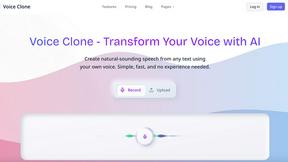
VoiceCloner
VoiceCloner is my top pick for cloning any voice to generate realistic, unlimited speech instantly.

Bargou One
Bargou One empowers your creativity with AI chat, content generation, and effortless translation for seamless.
About Subclip Alternatives
Subclip has carved out a fascinating niche in the crowded video editing landscape by positioning itself as a text-based editor first and an AI powerhouse second. It belongs to the growing category of speech and voice productivity tools that prioritize spoken word content, making it a darling for podcasters and educators who despise the timeline-based complexity of traditional software like Premiere Pro. However, while its voice cloning and multi-language dubbing are genuinely impressive, users frequently look elsewhere due to a few common pain points. The freemium model, while generous in spirit, often leaves power users hitting hard paywalls on export resolution or advanced dubbing minutes. Others find that the "edit like a document" transcript approach feels restrictive for projects requiring heavy visual effects, multi-track audio layering, or precise frame-by-frame control. When hunting for a replacement, you should prioritize tools that match your core workflow: if you live and die by transcript-based editing, look for robust text-to-video syncing; if voice cloning is non-negotiable, check for audio quality fidelity and latency; and if you’re a team, ensure the alternative offers real-time collaboration rather than just solo export pipelines. The best alternatives to Subclip aren't necessarily about competing on feature count—they’re about trade-offs in workflow philosophy. If Subclip’s AI dubbing and silence removal are your bread and butter, you’ll want a tool that handles background music preservation just as elegantly, as many cheaper competitors simply strip audio tracks entirely. On the other hand, if you’re a creator who found Subclip’s pricing too unpredictable for scaling, look for a platform with transparent per-minute billing or unlimited projects on a flat subscription. The golden rule is to test the transcript editing latency: Subclip is snappy because it processes locally for some features, so cloud-only alternatives might feel sluggish on long videos. Ultimately, the right choice will either double down on Subclip’s AI-first ethos or pivot toward a more traditional editor that integrates AI as a feature rather than the core identity.
FAQs about Subclip Alternatives
What is Subclip?
Subclip is an AI-powered video editor that allows you to edit videos by manipulating a transcript, similar to editing a document. It leverages artificial intelligence to automate tasks like voice cloning, silence removal, filler word deletion, auto-subtitle generation, and multi-language dubbing. The tool is designed to streamline video production for creators, marketers, and educators by replacing complex timeline editing with intuitive, text-based controls.
Who is Subclip for?
Subclip is built for content creators, including YouTubers, podcasters, course creators, and marketing teams who produce spoken-word video content. It is particularly suited for users who need to edit interviews, tutorials, or presentations quickly without learning traditional non-linear editing software. The platform is also ideal for educators and businesses requiring multi-language dubbing while preserving original background music and voice tone.
Is Subclip free?
Subclip operates on a freemium pricing model, offering a free tier that provides access to basic features like transcription and silence removal. For advanced capabilities such as high-resolution exports, extended dubbing minutes, and unlimited voice cloning, users must upgrade to one of their affordable paid plans. The free tier is generous for short-form content but includes limitations on export quality and project length to encourage upgrades.
What are the main features of Subclip?
Subclip’s core features include voice cloning, which lets you re-record parts of your video using a synthetic version of your own voice, and one-click silence and filler word removal. It also offers auto-generated subtitles with high accuracy, multi-language dubbing that preserves background music, and transcript-based editing where you cut, trim, or rearrange video by modifying text. These features are designed to reduce editing time from hours to minutes for spoken-word projects.