
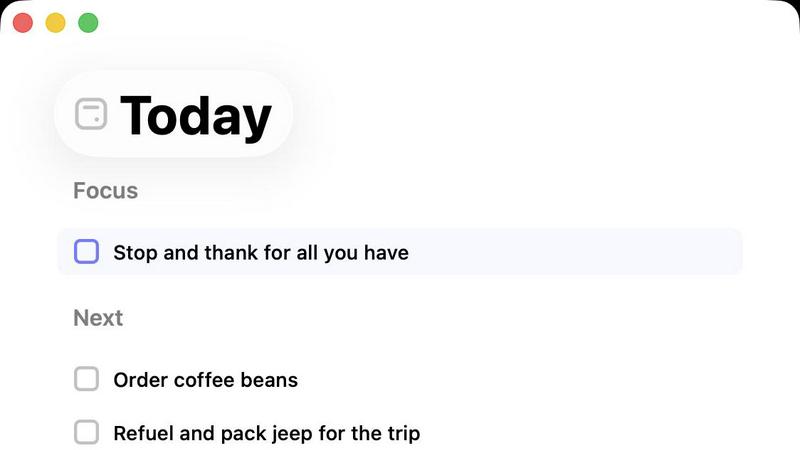
About Daily
In a world saturated with productivity apps that scream "do more, faster," Daily is a quiet, profound breath of fresh air. It's not another task manager trying to gamify your life into a series of sprints. Instead, Daily is a thoughtfully designed digital sanctuary for anyone whose brain feels like a browser with 100 tabs open. Its core philosophy is radical in its simplicity: clarity over completion, calm over cramming. The app is built for the overwhelmed—the creative professional juggling projects, the parent managing a household, the student buried in deadlines, or anyone who feels paralyzed by a swirling mental to-do list. Daily's main value proposition is its gentle, non-pressurized structure. It gives you a trusted place to brain-dump every task, reminder, and fleeting thought without the immediate burden of categorization or prioritization. Then, its magic lies in the "Today" view, a sacred space that filters the noise, helping you see only what truly deserves your focus right now. It champions the idea that not everything urgent is important, and it gives you graceful permission to let go of what isn't, carrying forward only what matters. In essence, Daily trades the anxiety of infinite productivity for the profound peace of intentional focus.
Features of Daily
The Brain Dump Inbox
This is the foundational, liberating feature. The Inbox is your zero-judgment, zero-friction capture zone. The moment a task pops into your head—"call vet," "research project idea," "buy birthday card"—you tap and type it in. There's no need to assign a date, project, or priority. This act of externalizing thoughts is cathartic; it clears mental RAM instantly. The beauty is in the deferred organization, allowing you to capture chaos in the moment and sort it with a calm mind later, which is a game-changer for reducing cognitive load and anxiety.
The Focused "Today" View
This is Daily's killer feature and the heart of its philosophy. The Today view is deliberately, beautifully sparse. It doesn't show you every task you've ever created. It only shows what you have consciously decided matters for this day. This enforced constraint is what creates clarity. By limiting your field of vision, the app prevents overwhelm and helps you return to a grounded, focused state. It transforms an intimidating master list into a manageable, daily intention.
Gentle Task Carry-Forward
Unlike apps that make overdue tasks blink red in shame, Daily handles unfinished business with remarkable grace. At the end of the day, items you didn't complete don't just vanish or scream at you. They are quietly carried forward to the next day. This system removes the guilt and pressure of "failure" and reframes planning as a gentle, iterative process. You review them with fresh eyes each morning, deciding anew if they are a priority, fostering a more mindful and sustainable approach to productivity.
Purposefully Minimalist Design
Daily’s interface is a masterclass in restraint. There are no complex tags, color-coded projects, or elaborate kanban boards. The design is clean, quiet, and almost meditative. This intentional lack of complexity is a feature, not a bug. It ensures the tool supports you without becoming a source of management overhead or pressure. The focus stays on your tasks and your peace of mind, not on learning a complicated system or maintaining a perfect organizational schema.
Use Cases of Daily
For the Chronically Overwhelmed Professional
If your job involves constant context-switching between emails, messages, and projects, Daily acts as a central nervous system. Use the Inbox to instantly capture every request and idea that comes at you throughout the day. Then, during a morning planning ritual, review your Inbox and move only the 3-5 truly critical items to your Today view. This creates a protective barrier against reactive work, ensuring you proactively focus on high-impact tasks instead of just what's loudest.
For Managing Personal Life & Mental Load
Daily is perfect for managing the endless stream of personal and household tasks—from scheduling doctor appointments to remembering to buy detergent. Instead of trying to hold it all in your head or using scattered sticky notes, dump everything into Daily. Each evening or morning, pick just a few personal admin items for your Today list. This prevents the "I know I'm forgetting something" anxiety and makes running a home or personal life feel more controlled and less chaotic.
For Creative Project Warm-Up
Writers, designers, and artists can use Daily to overcome the paralysis of a blank page. Start by brain-dumping every single small task related to a project into the Inbox: "sketch thumbnails," "research competitor logos," "write intro paragraph," "find reference images." The next day, instead of facing the monolithic "Work on Project," you can select one or two small, concrete tasks from your Inbox for your Today list. This makes starting easier and builds momentum through achievable wins.
For Post-Meeting or Learning Synthesis
After a long meeting, workshop, or deep learning session, your mind is full of action items and ideas. Open Daily and perform a rapid brain dump of every follow-up, thought, and question. This clears your head so you can fully engage in the next activity. Later, you can process this Inbox, moving concrete next steps to future Today lists and letting go of notes that are no longer relevant. It turns mental clutter into a clear action plan.
Frequently Asked Questions
How is Daily different from other to-do apps like Todoist?
Most productivity apps are built on a philosophy of comprehensive organization and maximum efficiency. They encourage you to categorize, prioritize, and plan everything in advance. Daily is built on a philosophy of mental clarity and reduced anxiety. It emphasizes capture now, organize later, and focuses intensely on helping you decide what matters today. It's less about managing a complex project and more about managing your focus and peace of mind. It's for those who find feature-rich apps overwhelming in themselves.
What happens to tasks I don't complete today?
Tasks you don't complete are not marked as "overdue" or failed. They are gently carried forward to the next day. When you open the app the following morning, you'll see them in your list of items to review. You then consciously decide again: does this belong on Today's list, or should it stay in the Inbox for later? This system is designed to remove guilt and encourage mindful re-prioritization each day.
Can I use Daily for team or shared projects?
Daily is intentionally designed as a personal, individual tool. It does not have collaboration, sharing, or assignment features. Its value is in being a private space for your own thoughts and tasks. For collaborative work, you would use a separate project management tool (like Asana or Trello), while using Daily to manage your personal action items and mental load from those team projects.
Is there a mobile app available?
Based on its design philosophy and target use case for quick, on-the-go capture and daily focus, it is highly likely that Daily offers a mobile application (typically iOS and Android). A mobile app would be essential for capturing tasks the moment they come to mind into the Inbox and for checking your focused Today list from anywhere. You would need to check the official website or app stores for confirmed availability and download links.
Similar to Daily
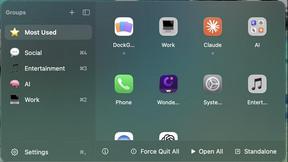
DockGroups
Your Dock, your rules. Simple and clean. Workflows in one click


Screen Tester
Free online screen tester for checking dead pixels, colors, brightness, contrast, refresh rate, and display quality.
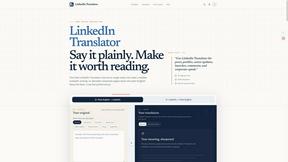
LinkedIn Translator
Turn rough notes into credible LinkedIn writing, or decode professional jargon into plain English.



PerPageFax
PerPageFax lets you send a fax online from any browser for a flat $0.50 per page — no account, no subscription, no fax machine.
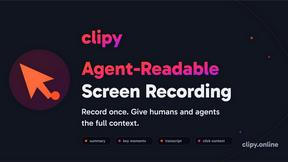
Clipy
Free, no-watermark screen recorder + instant share links. A Loom alternative: record, stop, share. No signup, no time cap, no app to watch.