
HomeEquipmentAge
HomeEquipmentAge is my go-to free tool that instantly decodes any HVAC serial number to reveal your equipment's exact age and smart next steps.
Visit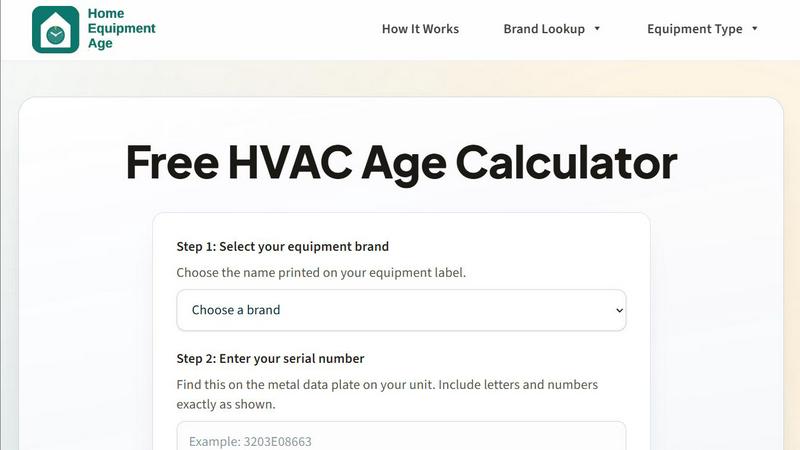
About HomeEquipmentAge
HomeEquipmentAge is, in my opinion, the most practical free tool a homeowner can use before calling an HVAC technician. It is a serial number decoder and HVAC age calculator that cuts through the confusion of manufacturer codes. Instead of squinting at a metal data plate and guessing, you simply pick your brand, type in the serial number exactly as printed, and get an instant estimate of when your equipment was made. This tool is designed specifically for homeowners who want quick context from equipment labels before they collect quotes or schedule service. No signup is required, which is a breath of fresh air in a world of paywalls. The main value proposition is straightforward: turn confusing serial codes into clear next steps. Supported equipment types include furnaces, central air conditioners, heat pumps, water heaters, boilers, packaged rooftop units, and ductless mini-splits. Brand coverage is impressive, spanning over twenty major manufacturers like Carrier, Trane, Lennox, Goodman, and Rheem. HomeEquipmentAge does not pretend to replace a professional inspection, but it gives you a solid baseline for maintenance, budgeting, and replacement planning. It is opinionated in its approach, favoring safer estimates over false precision when serial patterns are ambiguous. I find this conservative methodology refreshing because it prevents homeowners from making high-stakes decisions based on shaky data. The tool also provides repair versus replace guidance and remaining useful life context, which is exactly what you need before approving a major repair or shopping for a new system.
Features of HomeEquipmentAge
Instant Age Decoding
This feature is the heart of the tool and my personal favorite. You select your equipment brand from a well-organized dropdown, enter the serial number exactly as it appears on the metal data plate, and within seconds you get an estimated manufacture date and age. The decoder checks known serial patterns from published manufacturer formats and common field references used by service technicians. I appreciate that the tool does not pretend to be omniscient; it interprets serials against pattern families and favors conservative estimates when codes are ambiguous. This means you get a reliable starting point without false confidence. The instant feedback is invaluable when you are standing in a basement or attic trying to make a quick decision about whether to call a repairman or start shopping for replacements.
No Signup Required
This is a standout feature that sets HomeEquipmentAge apart from many other online tools. There is no email address to enter, no account to create, and no personal information to surrender. You simply land on the page, select your brand, type your serial number, and get your results. In an era where every website wants to capture your data, this tool respects your privacy and time. I consider this a major win for homeowners who are already stressed about a failing furnace or air conditioner. The last thing you need is another login to manage. This feature makes the tool immediately accessible and encourages repeated use without friction.
Repair versus Replace Guidance
Once the tool decodes your equipment age, it provides clear, contextual next-step recommendations based on the estimated age range. For systems 0 to 9 years old, the guidance is to maintain and monitor annual service. For equipment aged 10 to 14 years, the tool advises planning a budget for higher repair frequency. For systems 15 years and older, it recommends comparing replacement quotes and coverage options. I find this tiered guidance incredibly practical because it gives you a framework for decision-making without overwhelming you with technical jargon. It helps you spot when repair risk is rising and budget ahead for replacement rather than reacting to a breakdown under pressure.
Brand and Equipment Type Coverage
HomeEquipmentAge supports over twenty major HVAC brands, including Amana, American Standard, Armstrong, Bryant, Carrier, Coleman, Comfortmaker, Daikin, Ducane, Frigidaire, Gibson, Goodman, Heil, Intertherm, Lennox, Maytag, Partners Choice, Payne, Rheem, Ruud, Tempstar, Trane, and York. It also covers seven common equipment types: furnace, central air conditioner, heat pump, water heater, boiler, packaged rooftop unit, and ductless mini-split. This breadth of coverage means you can use the same tool for different systems in your home, from the basement furnace to the rooftop AC unit. I appreciate that the tool also provides dedicated brand pages and equipment type guides, so you can dive deeper into specific decoding patterns if you want to understand the logic behind the estimate.
Use Cases of HomeEquipmentAge
Pre-Repair Decision Making
This is the most common and valuable use case for HomeEquipmentAge. When your HVAC system starts acting up and a technician recommends an expensive repair, you need to know whether that investment makes sense. By decoding the serial number, you can quickly determine if your system is 15 years old and nearing the end of its useful life, in which case replacement might be smarter than sinking money into repairs. I have seen homeowners waste hundreds of dollars on band-aid repairs for ancient systems because they did not know the equipment age. This tool prevents that mistake by giving you the age context you need to make an informed decision before authorizing work.
Budgeting for System Replacement
HomeEquipmentAge is an excellent planning tool for homeowners who want to avoid emergency replacements. By checking the age of your furnace, AC, or heat pump annually, you can track when it enters the 10-to-14-year window. At that point, you can start setting aside funds for a future replacement rather than scrambling for financing when the system fails in the middle of a heatwave or cold snap. I recommend using this tool as part of your annual home maintenance routine. The age estimate gives you a concrete timeline for budgeting, and the repair versus replace guidance helps you calibrate your expectations about upcoming expenses.
Comparing Contractor Quotes
When you start collecting quotes for a new HVAC system, contractors may try to rush you into a decision by emphasizing your old equipment's age. With HomeEquipmentAge, you can verify the manufacture date yourself and walk into those conversations with confidence. You can compare the age estimate against the data plate, service invoices, or warranty records for additional confirmation. This puts you in a stronger negotiating position because you are not relying solely on the contractor's assessment. I have found that homeowners who come prepared with their equipment age are less likely to be upsold on unnecessary features or pressured into immediate decisions.
Home Purchase Inspection
If you are buying a home, the age of the HVAC equipment is a critical factor in your offer and negotiation strategy. HomeEquipmentAge allows you to decode the serial numbers on the furnace, AC, heat pump, and water heater during a walkthrough or inspection period. You can quickly determine if the systems are near the end of their useful life, which might justify asking for a credit or price reduction. This use case is particularly valuable because real estate transactions move fast, and you need quick answers. The tool gives you instant estimates without requiring a technician visit, so you can make informed offers with confidence.
Frequently Asked Questions
How accurate is the age estimate from HomeEquipmentAge?
The tool provides estimates based on published manufacturer serial number patterns and common field references used by service technicians. Results are interpreted against known pattern families, and the tool favors safer estimates over false precision when serials are ambiguous. I recommend confirming the estimate with any manufacture date printed directly on the data label, service invoices, or warranty records for high-stakes decisions. While the tool is highly reliable for most major brands, it is not a substitute for professional diagnosis or physical inspection.
What equipment types does HomeEquipmentAge support?
The tool supports seven common HVAC equipment types: furnace, central air conditioner (AC), heat pump, water heater, boiler, packaged rooftop unit, and ductless mini-split. This covers the vast majority of residential and light commercial systems. If you have a less common equipment type, the tool may still provide useful context based on the brand and serial pattern, but results should be treated with additional caution.
Do I need to create an account or pay to use the decoder?
No, absolutely not. HomeEquipmentAge is completely free and requires no signup or account creation. You simply select your brand, enter your serial number, and get your results instantly. This is one of the tool's best features because it removes all friction from the process. There is an affiliate disclosure on the site, meaning if you choose to use a partner link for products or services, the site may receive a commission at no extra cost to you, but using the decoder itself is always free.
What should I do if the serial number does not decode correctly?
If the serial number appears ambiguous or unusual, the tool will favor a conservative estimate to avoid misleading you. In such cases, I recommend double-checking that you entered the serial exactly as printed on the data plate, including all letters and numbers. If the result still seems off, compare it against any manufacture date printed directly on the label, or consult a professional technician. Remember that brands can change coding conventions over time, so older equipment may follow different patterns than modern units.
Pricing of HomeEquipmentAge
This section is intentionally omitted because HomeEquipmentAge is a completely free tool with no pricing tiers, plans, or costs. The decoder, brand lookups, equipment type guides, and all supporting content are available at no charge with no signup required. The only potential cost to you is if you choose to use an affiliate link for a product or service, in which case the site may receive a commission at no extra cost to you.
Similar to HomeEquipmentAge


Construction Calculator
Free construction calculators with formulas, steps, and assumptions.

Pestless
Pestless is my go-to for instantly matching Miami homeowners with a licensed, insured local pro for a free pest control quote.
SLABCALC
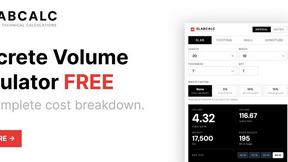
SlabCalc is my favorite free suite of 34 concrete calculators and AI tools for instant volume, cost, and crack diagnosis on any project.
PropMIS
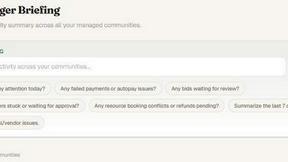
PropMIS is my favorite HOA tool, using AI to automate dues, violations, and board governance in one clean platform.

AppealMyTax
AppealMyTax checks your property against county records for free, then prepares your protest for a flat $49 fee so you keep all savings.

AIRE Software
AIRE Software delivers AI-driven market and finance feasibility insights in just five days to validate your real estate projects.

Roof Pitch Calculator
The best free roof pitch calculator for instantly converting rise, run, angle, or ratio into slope and rafter length.