ImageToVideoAI

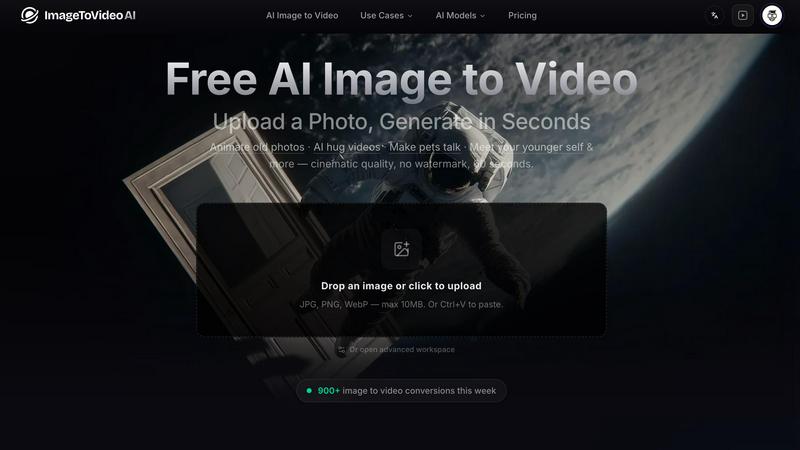
ImageToVideoAI is my top pick for instantly turning any photo into a cinematic, watermark-free video with access to 13 leading AI models.

Visit

Published on:

April 23, 2026

Category:

Pricing:

ImageToVideoAI application interface and features

About ImageToVideoAI

ImageToVideoAI is the most opinionated and powerful all-in-one AI image-to-video generator I have come across, built for creators, marketers, and everyday users who hate wasting time. Forget the endless tutorials and complicated editing software. This platform lets you upload a single photo, pick a scene like an old photo revival, a hug with a loved one, or a cinematic product ad, and it renders a high-quality video in seconds. My personal favorite is how it combines the latest frontier models including Seedance 2.0, Kling 3, Wan 2.7, and over 13 others inside a single Kling-style workbench. This means you can run multiple jobs in parallel and download results completely watermark-free. Whether you want to animate old family photos, make your pet talk, or meet your younger self, ImageToVideoAI delivers cinematic quality in up to 60 seconds. It is designed for anyone who wants professional results without the professional headache. The minimalist workspace supports JPG, PNG, and WebP formats, and you can even paste an image directly. With over 900 conversions happening weekly, this is the tool I personally recommend for turning static images into living memories.

Features of ImageToVideoAI

Multi-Model Workbench

This is the feature that sets ImageToVideoAI apart from every other tool on the market. Instead of being locked into a single AI engine, you get access to over 13 leading image-to-video models including Kling, Runway, Google Veo, Hailuo, Wan, Seedance, and Grok Imagine. You can switch between them depending on the mood of your project. Want a cinematic landscape? Go with Seedance 2.0. Need a hyper-realistic hug video? Kling 3 is your best bet. The workbench lets you run multiple jobs in parallel, so you are never waiting around. This is the ultimate sandbox for creators who want to experiment and find the perfect output.

Watermark-Free Downloads

I cannot stress enough how annoying watermarks are, especially when you are creating content for clients or social media. ImageToVideoAI delivers every single video without a watermark. This means you can upload directly to Instagram, TikTok, YouTube, or your website without any ugly branding. The quality is pristine, and the videos render in up to 60 seconds of cinematic footage. For marketers and creators who need clean, professional output, this feature alone is worth the subscription.

Advanced Prompt Control

You are not just clicking a button and hoping for the best. ImageToVideoAI gives you granular control over the animation with simple text prompts. You can describe exactly what you want the image to do: a gentle breeze blowing through hair, a slow zoom into a landscape, or a loving embrace between two people. The AI interprets your instructions with impressive accuracy. This turns a basic photo into a directed scene, giving you the creative freedom to tell a story without needing any video editing skills.

Parallel Job Processing

Time is money, and ImageToVideoAI understands that. The platform allows you to run multiple generation jobs at the same time. While one model is animating your old family photo, another can be working on a product advertisement. This parallel processing is a game-changer for agencies and power users who need to produce high volumes of content quickly. You can preview results in the sidebar and download them instantly, keeping your workflow fast and efficient.

Use Cases of ImageToVideoAI

Animate Old Photos

This is hands down my favorite use case. You take a dusty old photograph of your grandparents or a childhood memory, upload it to ImageToVideoAI, and watch it come to life. The AI adds subtle movements like blinking eyes, gentle head turns, or a soft smile. It is incredibly emotional and powerful for family archives, historical projects, or even memorial tributes. The result is a living memory that feels authentic, not creepy. I have used this for family reunions and the reactions are always priceless.

AI Hug Video Generator

Imagine you have a photo of two people you love, but it is static. With the AI Hug Video Generator, you can animate that embrace. The AI understands the spatial relationship between the subjects and creates a natural, flowing hug motion. This is perfect for wedding photos, family portraits, or even long-distance relationship keepsakes. The result is a tender, cinematic moment that feels like it was filmed on a professional set. It is one of the most requested features on the platform for good reason.

Product Ad Creation

Marketers, this one is for you. Instead of shooting expensive video footage for every product, upload a single high-quality product photo. Add a prompt like "slow rotation with soft lighting" or "zoom in on the texture." ImageToVideoAI will generate a cinematic product video that looks like it cost thousands to produce. You can use this for e-commerce listings, social media ads, or website hero sections. The ability to run multiple jobs in parallel means you can create an entire catalog of product videos in minutes.

Meet Your Younger Self

This is a viral sensation waiting to happen. Upload a current photo of yourself, and the AI can generate a video where you interact with a younger version of you. It is surreal, fun, and incredibly shareable. You can create content for birthdays, anniversaries, or just for a laugh. The AI handles the complex task of maintaining facial consistency across different ages, resulting in a seamless video that tricks the eye. It is a perfect use case for social media creators looking for unique, engaging content.

Frequently Asked Questions

What file formats are supported for upload?

ImageToVideoAI supports JPG, PNG, and WebP formats. The maximum file size is 10MB. You can also use Ctrl+V to paste an image directly into the workspace. This makes it incredibly easy to get started without digging through your folders. If you have a larger file, you may need to compress it first.

Can I use multiple AI models on the same project?

Absolutely. The entire point of the multi-model workbench is to give you flexibility. You can upload one image and generate videos using Kling, Runway, Seedance, Wan, or any of the 13+ models. Each model has its own strengths, so I recommend experimenting. For example, Seedance 2.0 excels at cinematic landscapes, while Kling 3 is better for realistic human interactions. You can run them in parallel and compare results.

Are the downloaded videos really watermark-free?

Yes. Every video generated on ImageToVideoAI is completely free of watermarks. This is a core promise of the platform. You can download your videos directly to your device and use them for commercial purposes, social media, or personal projects without any branding. This is a huge advantage over many free or lower-tier tools that slap logos all over your content.

How long does it take to generate a video?

Generation times are incredibly fast, typically taking only seconds to a couple of minutes depending on the complexity of the scene and the model you choose. The platform is optimized for speed, and you can run multiple jobs in parallel so you are never waiting. For most standard animations, you will have a preview ready in your sidebar almost immediately.

Similar to ImageToVideoAI

Spark Robin AI

Spark Robin AI turns your text prompts or images into stunning short videos in seconds, my top pick for effortless creative video generation.

Editly AI

Editly AI is my favorite tool for turning raw footage into polished edits with just a prompt, no timeline needed.

Seeddance

Seedance is my new favorite AI creative suite that turns any image into a cinematic video with jaw-dropping motion and sound.

VideoAny

VideoAny is my go-to video-first AI studio that replaces your entire creative stack with uncensored, cinematic video, image, and audio generation in.

HappyHorse

HappyHorse is my pick for cinematic AI video that nails human motion and prompt accuracy with a fast, unified model.

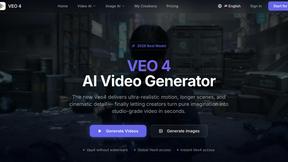
Veo 4 video generator

Veo 4 transforms text, images, or videos into stunning, high-quality clips in seconds, empowering creators with cinematic storytelling.

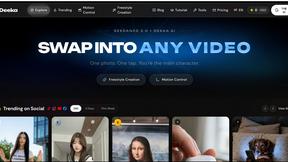
Deeka.ai

Transform yourself into the star of trending videos effortlessly with Deeka.ai's free AI remixing tool.

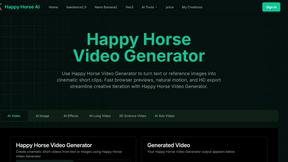
Happy Horse AI Video Generator

Transform your ideas into stunning cinematic short videos from text or images effortlessly with Happy Horse AI Video Generator.