

Alternatives to RecordFlow
RecordFlow is my favorite hands-off tool that automatically backs up every Zoom recording to Google Drive and frees your storage.
20 alternatives found
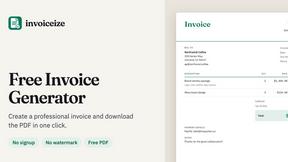
Invoiceize
Free invoice generator with live preview and PDF export. Create invoices, receipts and quotes without signup or watermarks.

Emailyy
Free email tools for signatures, subject lines, HTML previews, word counts, and email headers. Browser-based, simple to use, and no signup required.
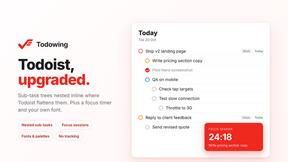
Todowing
Chrome extension that nests sub-tasks under their parents in Todoist's Today, Upcoming, Filter and board views. Free tier, $19.99 lifetime unlock.

Uniclip
Clip pages, take full-page screenshots and batch-capture list data to Notion, Feishu, Obsidian, Markdown, CSV or JSON.
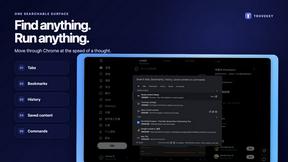
TroveKey
Search tabs, Chrome bookmarks and history, run browser commands, and save webpages and social posts locally—no account.
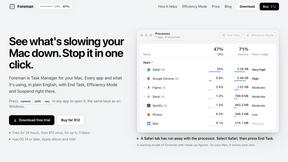
Foreman
See every app and what it's using in plain English, and end or slow down the one that's hogging your Mac.
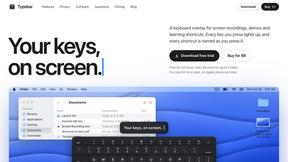
Typebar
Every key you press lights up on an on-screen keyboard, and each shortcut is named. For screen recordings, demos and learning shortcuts.
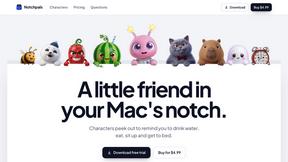
Notchpals
Little characters peek out of your Mac's notch to remind you to drink water, eat, sit up and get to bed. Quiet during calls. $4.99 once.


Drafto
Browser tools for Indian SMBs and CAs: GST, Tally, bank statements. Bank Statement Converter and Meesho Label Crop. Free daily limit.
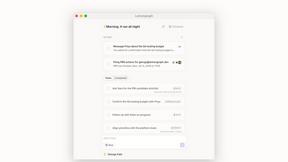
Lemongraph
Almost every conversation ends with a promise. Lemongraph keeps track of them for you and lines up your day the way you would.

Kovnerov
Personal site of Vlad Kovnerov: analytics dashboards, web development, Telegram bots and browser tools for sellers and subscription tracking.
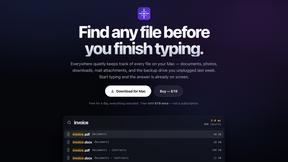
Everywhere
Fast file search for the Mac. Results as you type, files inside Mail and Photos, works with Wi-Fi off. $19 once.
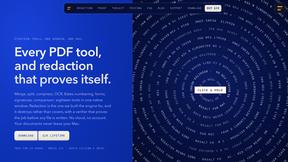
Basalt
Eighteen PDF tools in one native Mac window: merge, split, compress, OCR, Bates numbering, forms, signing and redaction. Offline. $29 once.
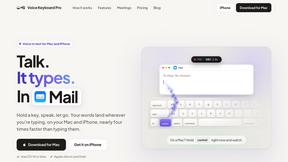
Voice Keyboard Pro
Hold a key, say what you mean, let go. Clean, punctuated text lands at the cursor in any app on your Mac or iPhone.
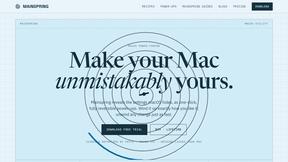
Mainspring
Mainspring turns the settings macOS hides into 90+ one-click, fully reversible power-ups for Finder, Dock, screenshots and more. $29 once.
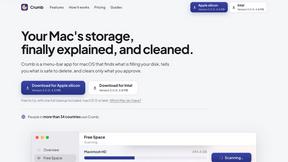
Crumb
A Mac menu bar app for a full disk. See what is using your space, read whether it comes back on its own, and remove only what you tick.
About RecordFlow Alternatives
RecordFlow sits squarely in the niche of automated cloud-to-cloud transfer tools, a specific corner of the Productivity & Management category designed to solve the headache of managing Zoom storage without manual intervention. Its core promise is elegant: it acts as a silent bridge, instantly shuttling your Zoom cloud recordings into your Google Drive the second a meeting wraps up, then optionally deleting the originals to keep your Zoom account lean. While this is a brilliant solution for a very specific workflow, users often look for alternatives when their needs don’t fit this exact mold. Perhaps they don’t use Google Drive, preferring Dropbox or OneDrive, or maybe they need a tool that also handles local downloads or integrates with a different video conferencing platform like Microsoft Teams. Others might find the pricing model doesn't align with their budget, or they require more granular control over which recordings are archived based on meeting metadata rather than a simple blanket sync. When evaluating alternatives, the key is to first define your non-negotiables. Do you need the absolute simplest, most hands-off solution, or are you willing to trade some automation for lower cost or broader platform support? Look for tools that offer reliable, error-proof file transfer—chunking for large files and automatic retries are essential, not optional. Security is paramount; ensure any alternative uses OAuth 2.0 and encryption in transit and at rest, and crucially, that they never store your files on their own servers. Finally, consider the ecosystem lock-in: if you’re deep in Google Workspace, RecordFlow is a natural fit, but if your team lives in the Microsoft or Slack universe, you’ll want an alternative that lives there too. The best choice is the one that disappears into your workflow, making the act of saving a recording feel like it never required a second thought.
FAQs about RecordFlow Alternatives
What is RecordFlow?
RecordFlow is an automated backup tool that seamlessly transfers Zoom cloud recordings directly to your Google Drive. It is designed to eliminate manual downloads and forgotten files by syncing every new recording—video, audio, transcripts, and chat logs—the moment a meeting ends. The service also backfills the past two years of your Zoom recordings, providing a comprehensive archive with zero ongoing effort.
Who is RecordFlow for?
RecordFlow is specifically built for professionals who rely on Zoom recordings and cannot afford to lose them, including coaches, consultants, therapists, professors, and small teams. It is ideal for anyone who finds the process of manually downloading, organizing, and storing recordings tedious and time-consuming. The tool is designed for users who want a 'set it and forget it' solution that integrates directly with their existing Google Drive workflow.
What are the main features of RecordFlow?
The core feature is the automatic, immediate transfer of Zoom recordings to Google Drive after a meeting ends, including a backfill of the past two years. It supports all file types: MP4 video, M4A audio, VTT transcripts (which are also converted into a formatted Google Doc), and chat logs. Additionally, it offers an optional auto-delete function that safely removes the recording from Zoom storage once the Drive copy is verified, and it uses intelligent chunked transfers and automatic retries to handle large files reliably.
Is RecordFlow secure?
Yes, security is a primary design principle of RecordFlow. It uses OAuth 2.0 for all authentication and AES-256 encryption to protect your data. A critical security feature is that recordings stream directly from Zoom to your Google Drive; the service never stores your files on its own servers, meaning they never sit in an intermediate location where they could be compromised.