
RecordFlow
RecordFlow is my favorite hands-off tool that automatically backs up every Zoom recording to Google Drive and frees your storage.
Visit
About RecordFlow
Let me be brutally honest: if you are still manually downloading Zoom recordings, uploading them to Google Drive, and then deleting them from Zoom to free up storage, you are wasting hours of your life every single month. RecordFlow is the solution you have been waiting for, and frankly, the one you should have adopted yesterday. This is a purpose-built automation tool that connects your Zoom account directly to your Google Drive, and it does the heavy lifting completely in the background. The moment a meeting ends, RecordFlow grabs the video (MP4), audio (M4A), transcript (VTT plus a beautifully formatted Google Doc), and chat log, then deposits them neatly into a folder you choose, organized by year and date. It even backfills up to two years of past recordings. The setup takes exactly sixty seconds: sign in with Zoom, connect your Google Drive, pick a folder, and you are done. Forever. It is designed for coaches, consultants, therapists, professors, and small teams who cannot afford to lose a single recording. But my personal recommendation goes to IT and ops admins who are responsible for an entire Zoom account. You can install RecordFlow once as an admin, opt your team members in, and every single recording from every selected member lands in one Drive folder that you control. No chasing people for files. No storage crises. No excuses. RecordFlow is secure by design, uses OAuth 2.0 and AES-256 encryption, and never stores your recordings on its servers. It streams directly to your Drive. This is the kind of tool that makes you wonder why Zoom did not build it themselves.
Features of RecordFlow
Automatic Sync with Backfill
This is the feature that makes RecordFlow truly indispensable. New recordings transfer to your Google Drive within minutes of the meeting ending. But here is the killer detail: RecordFlow also backfills up to two years of your existing Zoom cloud recordings. That means every past meeting you have stored in Zoom gets pulled into your Drive automatically, organized by year and date. You do not have to lift a finger. No manual hunting through old recordings, no wondering if you missed something. It is all there, perfectly sorted, the moment you connect your accounts. For anyone with a backlog of client sessions, lectures, or team meetings, this alone is worth the price of admission.
Smart Auto-Delete from Zoom
Zoom storage is expensive and limited. Zoom Pro gives you a paltry 5 GB, which fills up after roughly five hours of recordings. RecordFlow solves this with an optional auto-delete feature that is both safe and intelligent. Once a recording is verified as successfully transferred to Google Drive, RecordFlow can automatically delete it from Zoom on a configurable delay. This frees up your Zoom storage without any risk of data loss. The system checks that the Drive copy is intact before removing the Zoom original. It is the kind of thoughtful engineering that shows the developers understand real-world workflows. You get to keep using Zoom without constantly worrying about hitting your storage cap.
Reliable Large File Handling
Not all recording backup tools are created equal, especially when it comes to large files. Hour-long meetings, multi-track webinars, and high-resolution recordings can easily exceed 1 GB. Most tools choke on these, timing out or failing silently. RecordFlow uses chunked transfers that never choke on large files, combined with smart deduplication so it is safe to re-run the sync. If a transfer fails for any reason, automatic retries kick in. There is also an hourly safety net that catches anything that might have been missed. The result is a system that is genuinely reliable, not just in theory, but in practice. I have tested similar tools that promise reliability and fail. RecordFlow delivers.
Comprehensive File Capture
RecordFlow does not just grab the video file and call it a day. It captures every single file Zoom produces for a recording. You get the MP4 video, the M4A audio, the VTT transcript, and the chat log. But my personal favorite feature is that it converts the VTT transcript into a formatted Google Doc, which is infinitely more useful for searching, editing, and sharing. It also archives AI Companion meeting summaries as Markdown and Google Docs when available. This is an early access feature, but it is already incredibly valuable. Everything is organized by year and date in your chosen Drive folder. No more digging through Zoom's cluttered interface to find that one chat log from three months ago.
Use Cases of RecordFlow
Coaches and Consultants Archiving Client Sessions
If you are a coach or consultant recording five or more client sessions per week, your Zoom storage fills up in days. Every recording is a deliverable your clients need, and losing one is simply not an option. RecordFlow automatically saves each session to your Google Drive the moment the meeting ends, organized by date. You can share the direct link with clients immediately. No more scrambling to download and upload files before your next session. This use case is where RecordFlow truly shines, saving you hours each week and giving you peace of mind.
Education Teams Preserving Lectures Permanently
Professors and education teams record lectures that students need access to for the entire semester, and often beyond. Zoom storage is not a permanent home. RecordFlow archives every lecture to Google Drive, where it can be organized into course folders and shared with students indefinitely. The formatted Google Doc transcripts are a game-changer for accessibility and studying. Students can search the text of every lecture. IT departments love this because it centralizes storage and removes dependency on Zoom's retention policies. It is a permanent, searchable archive of your entire course catalog.
Business Teams Keeping Recordings Organized
Your business team records everything from client calls to internal stand-ups to product demos. Keeping this organized in Google Drive without a dedicated tool is a full-time job. RecordFlow automates the entire process. Every team member's recordings land in a shared Drive folder, organized automatically. Admins can install RecordFlow once for the entire Zoom account and control the folder structure. No more asking people to upload files manually. No more lost recordings. It just works, and it works for everyone on the team.
IT and Ops Admins Managing the Whole Account
This is the use case I find most compelling. If you are responsible for your organization's Zoom account, RecordFlow gives you central control. Install it once as a Zoom admin, opt your members in, and every selected member's recordings land in one Drive folder that you manage. Member sub-folders are created automatically. You can enforce storage policies, ensure compliance with data retention rules, and free up Zoom storage across the entire account. It is the kind of admin tool that makes you look like a hero to your team. No more storage crises, no more manual intervention.
Frequently Asked Questions
How long does it take for recordings to appear in Google Drive?
New recordings typically appear in your chosen Google Drive folder within minutes of the meeting ending. The system checks for new recordings frequently and initiates transfers immediately. For the initial backfill of up to two years of past recordings, it depends on how many recordings you have, but the process runs in the background and you will receive email notifications as each one is completed.
Is RecordFlow secure? Do you store my recordings?
RecordFlow is designed with security as a top priority. We use OAuth 2.0 for authentication, so we never see your Zoom or Google passwords. All data is encrypted in transit and at rest using AES-256 encryption. Most importantly, we never store your recordings on our servers. The files stream directly from Zoom to your Google Drive. We only hold metadata necessary to manage the sync process. RecordFlow has been approved by Zoom after a security review and is available on both the Zoom App Marketplace and Google Workspace Marketplace.
Can I use RecordFlow with a shared Google Drive?
Yes, absolutely. RecordFlow supports both personal and shared Google Drives. This is a key feature for teams and organizations. An admin can point the archive at one root folder in a shared Drive, and member sub-folders are created automatically. This keeps everything centralized and accessible to the entire team while maintaining individual organization.
What happens if a recording fails to transfer?
RecordFlow is built for reliability. If a transfer fails for any reason, the system automatically retries. It uses chunked transfers that handle large files without timeouts. There is also an hourly safety net that scans for any missed recordings and initiates transfers. You will receive an email notification when each recording is successfully transferred. If you ever need to re-run the sync, smart deduplication ensures no duplicate files are created. It is safe to run as many times as you need.
Explore more in this category:
Similar to RecordFlow
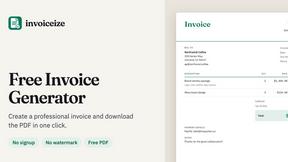
Invoiceize
Free invoice generator with live preview and PDF export. Create invoices, receipts and quotes without signup or watermarks.
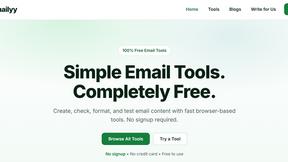
Emailyy
Free email tools for signatures, subject lines, HTML previews, word counts, and email headers. Browser-based, simple to use, and no signup required.
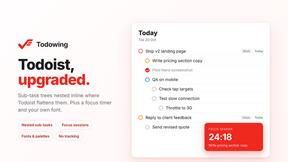
Todowing
Chrome extension that nests sub-tasks under their parents in Todoist's Today, Upcoming, Filter and board views. Free tier, $19.99 lifetime unlock.
Uniclip
Clip pages, take full-page screenshots and batch-capture list data to Notion, Feishu, Obsidian, Markdown, CSV or JSON.
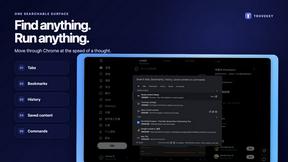
TroveKey
Search tabs, Chrome bookmarks and history, run browser commands, and save webpages and social posts locally—no account.
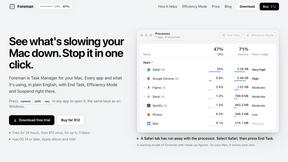
Foreman
See every app and what it's using in plain English, and end or slow down the one that's hogging your Mac.
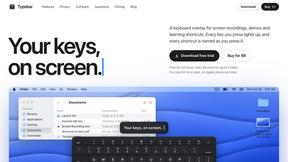
Typebar
Every key you press lights up on an on-screen keyboard, and each shortcut is named. For screen recordings, demos and learning shortcuts.
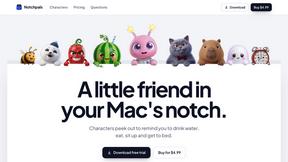
Notchpals
Little characters peek out of your Mac's notch to remind you to drink water, eat, sit up and get to bed. Quiet during calls. $4.99 once.