

About CloudBurn
CloudBurn is the essential early-warning system for any engineering team building on AWS. In my opinion, it solves one of the most pervasive and painful problems in modern cloud development: the terrifying, post-deployment bill shock. If your team uses Terraform or AWS CDK, you absolutely need this tool. CloudBurn integrates directly into your GitHub pull request workflow to provide real-time, automated cost analysis before any infrastructure code is merged. It transforms cloud cost management from a reactive, finance-led headache into a proactive, developer-friendly process. By surfacing the exact dollar impact of every VPC, EC2 instance, or Fargate task definition change right in the code review, it empowers engineers to make cost-conscious architectural decisions. This isn't just about saving money—it's about fostering a culture of ownership and financial accountability within development teams, preventing costly misconfigurations from ever reaching production and turning a monthly surprise into a predictable, optimized expense.
Features of CloudBurn
Automated Pull Request Cost Reports
This is the killer feature. CloudBurn automatically posts a detailed, line-item cost breakdown as a comment on every relevant pull request. It shows the current cost, the new projected monthly cost, and the delta for each resource being changed or added. This happens seamlessly within seconds, requiring zero manual intervention from developers and making cost visibility an integral, non-negotiable part of the code review ritual, just like checking for linting errors.
Real-Time AWS Pricing Integration
Forget outdated spreadsheets or static price lists. CloudBurn pulls directly from the latest AWS pricing data to ensure every estimate is accurate and reflects the current on-demand rates for services and instance types in your specific region. This means the cost feedback you get is reliable and actionable, whether you're provisioning a t3.micro or a memory-optimized RDS instance.
Seamless IaC Tool Integration
CloudBurn works natively with the infrastructure-as-code tools teams actually use. It integrates with GitHub Actions for both AWS CDK (via the CDK Diff PR Commenter) and Terraform (via the Terraform Plan PR Commenter). This design-first approach means setup is incredibly simple—you're not rebuilding your pipeline; you're enhancing it with a critical new layer of intelligence.
Proactive Cost Anomaly Prevention
The tool is fundamentally designed to catch mistakes early. By analyzing the infrastructure diff, it can flag unexpectedly expensive resource configurations—like accidentally choosing an xlarge instance when a large would suffice—before they are deployed. This shifts FinOps left, preventing the need for risky and time-consuming refactoring projects in production after a budget alarm goes off.
Use Cases of CloudBurn
Preventing Accidental Cost Spikes in PR Reviews
The classic horror story: a developer updates a Terraform module, changing a t3.small to a t3.xlarge without realizing the 4x cost impact. CloudBurn stops this by making the $133/month price tag for that instance glaringly obvious in the PR comment. This sparks an immediate conversation between the developer and reviewer, allowing for a cost-optimized alternative to be chosen before merge.
Enabling Developer-Led Cost Optimization
Instead of finance or platform teams dictating cost rules retroactively, CloudBurn gives developers the data they need to self-optimize. When designing a new feature, engineers can experiment with different resource types and immediately see the cost trade-offs, fostering innovation within budgetary guardrails and building a shared sense of ownership over cloud spend.
Streamlining Infrastructure Approval Workflows
For teams with mandatory cost reviews, CloudBurn automates the most tedious part. Managers and tech leads no longer need to manually calculate estimates or guess the impact. The clear, automated report provides the audit trail and data needed for informed approval, significantly speeding up the deployment cycle while adding a robust financial governance layer.
Onboarding and Educating New Team Members
For engineers new to AWS or a codebase, CloudBurn acts as a real-time learning tool. It provides immediate feedback on the cost implications of their code, helping them understand the financial weight of their infrastructure decisions from day one and accelerating their journey to becoming cost-aware cloud practitioners.
Frequently Asked Questions
How does CloudBurn calculate the cost estimates?
CloudBurn analyzes the output of your cdk diff or terraform plan command, which details the proposed infrastructure changes. It then cross-references the resources and their configurations (instance type, region, storage size, etc.) with the live AWS Price List API. Using standard assumptions for monthly runtime (730 hours), it calculates a projected monthly on-demand cost for both the new state and the current state, presenting the difference.
Is my code or cloud credentials exposed to CloudBurn?
No, and this is a critical design point for security. Your actual Terraform or CDK code never leaves your GitHub repository. CloudBurn's system only receives the diff output (the plan text) from the GitHub Action you install. Furthermore, CloudBurn does not require or have access to your AWS credentials; cost calculation is done using publicly available pricing data, not by accessing your account.
What happens if we use Reserved Instances or Savings Plans?
Currently, CloudBurn provides estimates based on standard AWS on-demand pricing. This is intentional, as it gives you the "sticker price" or maximum potential cost of a resource, which is the most critical figure for preventing budget overruns. It creates a consistent, conservative baseline for comparison. Understanding the impact before applying discounts is still immensely valuable for planning and avoiding waste.
Can we use CloudBurn with private GitHub repositories?
Absolutely. CloudBurn is installed via the GitHub Marketplace, and you can grant it permission to access specific private repositories where you manage your infrastructure-as-code. The integration operates securely within GitHub's ecosystem, and the billing and permissions are handled entirely through your GitHub account.
Explore more in this category:
Similar to CloudBurn
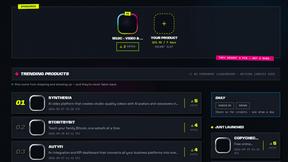
DebutPin
A launch platform where products keep collecting visibility, feedback and connections long after launch day.

Sprite Sheet Maker
A free browser-based toolkit for creating, cutting, converting, and previewing sprite sheet animations.

Product Launch Checklist
A free launch checklist for SaaS, apps, AI tools and more. Every step says why it matters and when you can skip it.
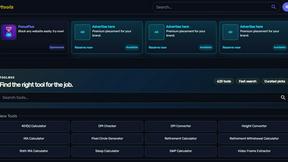
Kody Tools
Free collection of online developer utilities, code formatters, and digital converters designed to streamline your daily workflow.
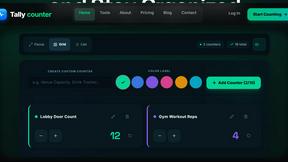
tallycounterweb.com
Online tally counter for tracking attendance, workouts, inventory, sports scores, visitors, habits, and everyday counting tasks.
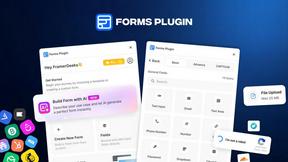
Forms Plugin
The #1 Native Form Builder Plugin for Framer - No Code, No Embeds, No External Platforms.
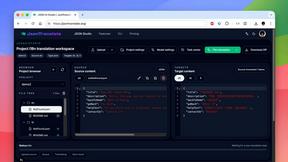
JsonTranslate
A structured JSON, Markdown, and TXT translator that preserves keys, nested paths, and project structure.